An article "The Difference Between Adobe Illustrator and Adobe Photoshop A Comparative Study in Digital Design" Dr. Asrar Samandar
Introduction
Digital design software has become an essential tool for designers and artists in the modern era, contributing significantly to the development of creative practices and the production of high-quality visual content. Among the most widely used programs are Adobe Illustrator and Adobe Photoshop. Although both are fundamental in digital design, each serves different purposes due to the distinct nature of graphics and techniques employed. This study aims to highlight the fundamental differences between the two programs in terms of graphic structure, design tools, and practical applications, helping designers select the most suitable software for their projects.
Graphic Foundations of Both Programs
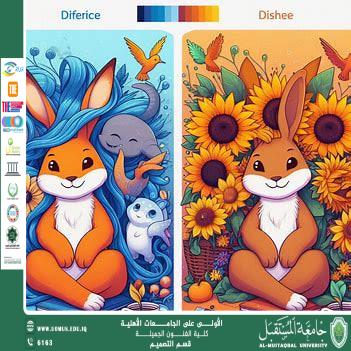
Adobe Illustrator is based on vector graphics, which are created using mathematical equations to define shapes, lines, and colors. These graphics can be scaled up or down without any loss of quality, making Illustrator ideal for logos, icons, posters, and large-scale printing.
In contrast Adobe Photoshop relies on raster graphics, also known as pixel-based images. Each image consists of a grid of pixels, and its quality depends on resolution. Enlarging raster images leads to loss of detail and visual distortion, which is why Photoshop is mainly used for photo editing and highly detailed digital designs.
Design Tools in Both Programs
Adobe Illustrator provides precise tools for drawing shapes, lines, and curves, relying heavily on vector paths and simple color gradients, making it suitable for clean and structured designs.
Adobe Photoshop offers advanced image editing tools, digital brushes, layer systems, realistic effects, and color correction features, making it ideal for detailed illustrations, photo manipulation, and complex visual effects.
Practical Applications of Both Programs
Adobe Illustrator is primarily used for logo design, large-format posters, digital typography, and high-quality printing, while it is not suitable for photo editing.
Adobe Photoshop excels in photo manipulation, color control, detailed illustrations, and visual effects, and although it can be used for logo design, the quality is highly dependent on image resolution.
Conclusion
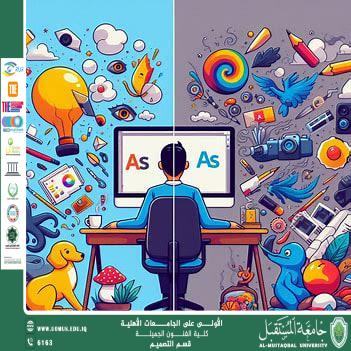
The choice between Adobe Illustrator and Adobe Photoshop depends largely on the nature of the project and the type of graphics required. Illustrator is recommended for designs based on shapes and lines that require consistent quality at any scale, while Photoshop is preferred for working with realistic images, detailed artwork, and visual effects. Ultimately integrating both programs provides a comprehensive workflow, starting with vector-based design in Illustrator and enhancing the work in Photoshop with detailed textures and effects. Understanding the strengths of each program allows designers to achieve optimal results without compromising quality or flexibility.
Almustaqbal University, The First University in Iraq.